
MoonWool
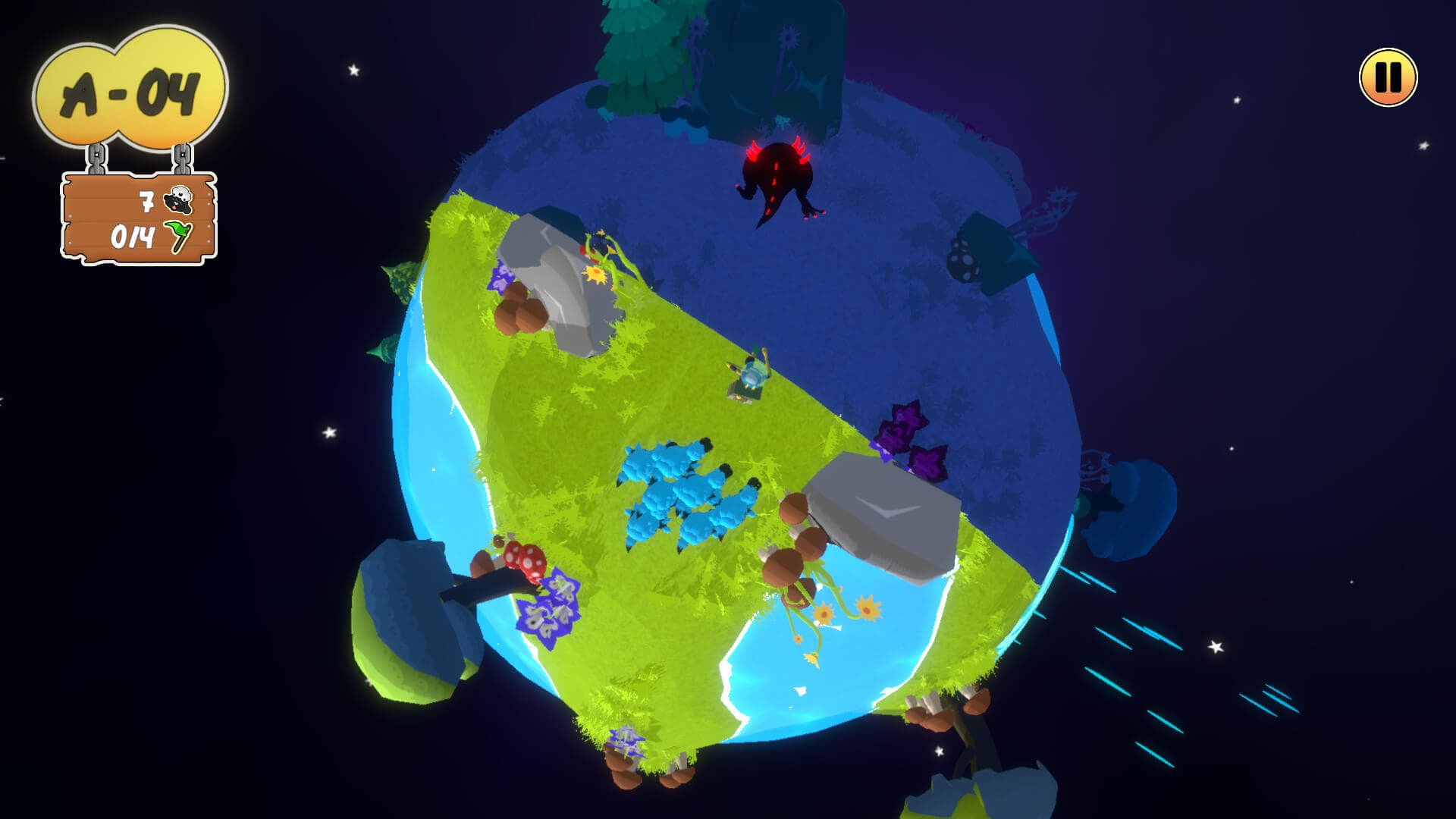
MoonWool is a herd management game set in a quirky, cartoonish 3D universe. Play as a space shepherd and rescue lost sheep across a multitude of miniature planets. Guide them to a nanoparticle portal while avoiding the wild dangers of alien flora and fauna.
Move the shepherd using the mouse/controller and guide the sheep by staying close to the herd. Baaaaah! 🐑
For its gameplay, MoonWool draws inspiration from the herd management mechanics of Core Design's Herdy Gerdy, and for its universe, from the contemplative and minimalist aesthetic of The Little Prince by Saint-Exupéry.
The goal is to offer players a truly immersive experience, both through picturesque environments and the rarity of the game's genre. Observation and mastery of the controls will allow players to progress through this universe, discovering and solving new challenges along the way.
- Roles
- Solo Programmer, Game Designer
- Year
- 2020
- Tools/Technology
- Unity, FMOD, A* Pathfinding Project Pro
- Team Size
- 5 people
Introduction
MoonWool is a game I created as part of my studies to earn my degree. Unlike my previous projects, this one was developed as a team effort, which added a collaborative dimension to the experience. We started from scratch and, after a month of post-production and prototyping, we settled on a herd management game concept.
This project allowed me to explore new technologies and development techniques. For example, I implemented a pathfinding system using the A* algorithm, which was a first for me. I also developed tools in Unity, including custom windows and inspectors, to improve our workflow efficiency.
Another key aspect of the project was the implementation of a localization system to support multiple languages, as well as a robust save system to manage player progression. Finally, I designed a complete level editor, enabling the team to create and modify game environments intuitively.
Working on MoonWool was both enriching and stimulating. While I enjoy the freedom of working on solo projects, I particularly appreciated the group dynamics and the exchange of ideas that emerged from this collaboration. It allowed me to discover new perspectives and learn diverse skills thanks to the expertise of my teammates.
Pathfinding and movement
One of the biggest technical challenges in MoonWool was managing pathfinding on spherical planets. Unlike a traditional flat environment, our game takes place on icosphere-shaped planets, which required an innovative approach to character movement.
Initially, we considered using Unity's built-in NavMesh system, but it doesn’t support non-flat terrains on the XZ axes. Since our target platform was mobile, it was crucial to offer simple and intuitive movement for the player, such as a "tap to move" system. However, with only six months to finalize the project and earn our degree, I didn’t have time to develop an A* node-based system from scratch while also completing the gameplay.
To solve this problem, we opted for the A* Pathfinding Project Pro asset by Aron Granberg, a powerful and flexible tool. However, even with this asset, I had to create several custom tools to adapt the pathfinding to our specific needs.
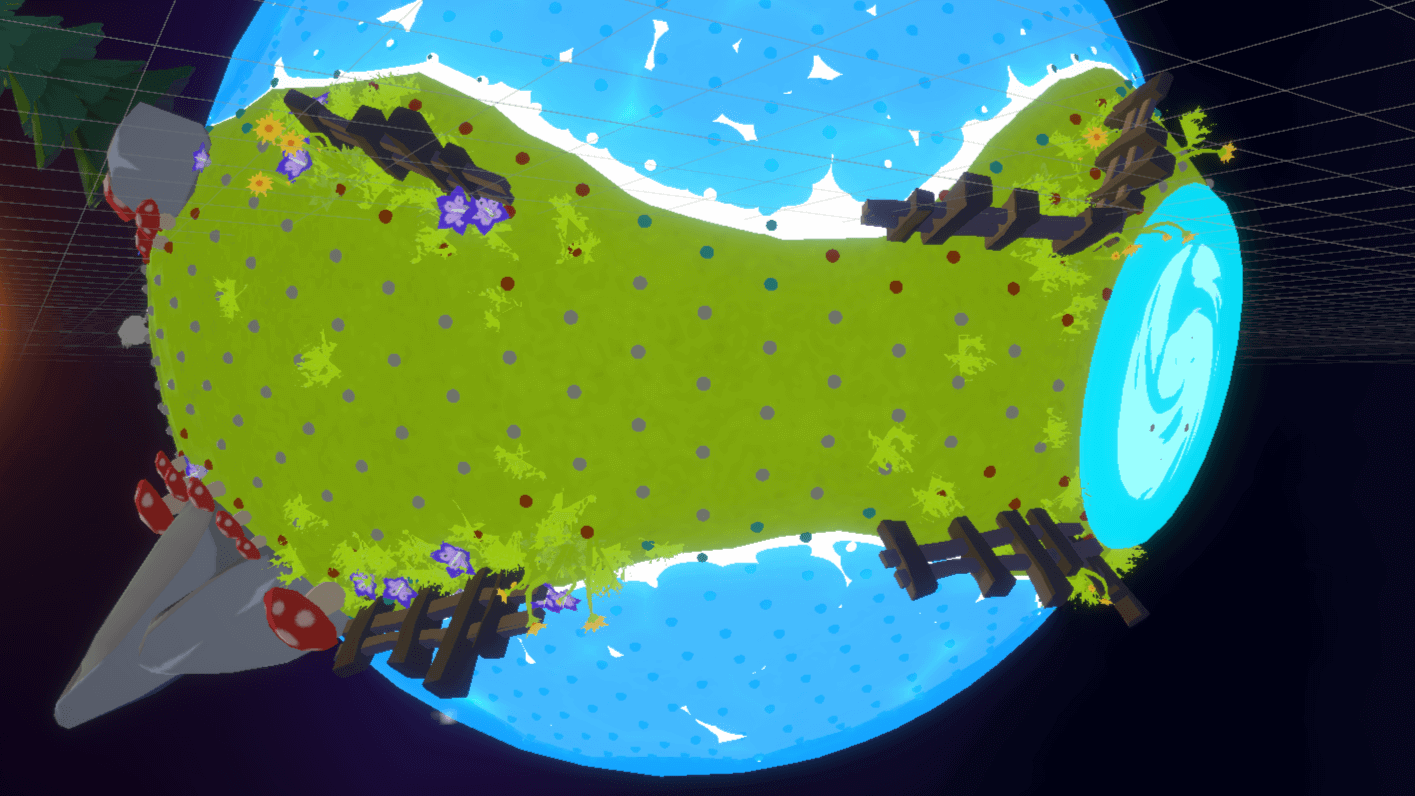
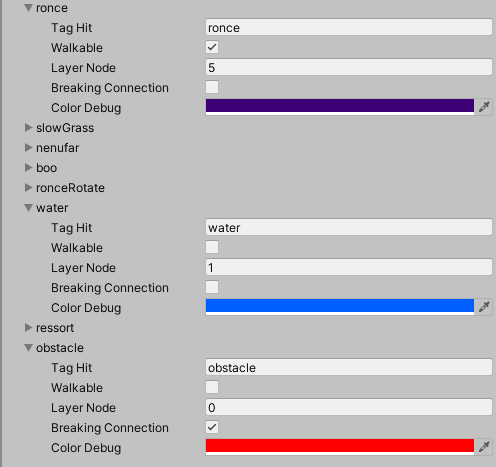
Node generation is based on the geometry of the icosphere's triangles, which form the planet. Each node is positioned on the vertices and barycenters of the triangles, ensuring an even distribution across the planet's surface. Then, a verification system is applied to determine if a node is on a specific layer. This allows us to assign specific tags to each node, defining its behavior (e.g., "walkable," "obstacle," "water," etc.).
This solution not only addressed the project's technical constraints but also provided a solid foundation for more complex gameplay mechanics, such as dynamic obstacle avoidance or handling varied terrains.
Tools to Streamline Production
To optimize the team's workflow and enable rapid iteration on levels, I developed several custom tools in Unity. These tools were designed to meet the specific needs of different team members, from level designers to sound designers, as well as technical artists.
Node and Pathfinding Management

To simplify node configuration on the planets, I created a "brush" tool that allows users to paint directly onto the planet's surface. This tool enables users to assign specific tags or states to a node (e.g., "walkable" or "non-walkable"). It also provides the ability to force connections between multiple nodes, which proved essential for fine-tuning the behavior of characters and objects in the game.
Level Creation and Editing
The biggest challenge for level designers was being able to create and iterate on levels quickly while accounting for the spherical nature of the planets. To address this, I developed tools that allow them to move the planet's vertices relative to the planet's center, using their local Y (or normal) as a reference. This allows for terrain relief on the planets.

To place objects intuitively, I implemented a "painting" system that enables designers to place objects directly onto the planet's surface. This tool includes parameters such as random rotation and random scale, providing natural variety in the placement of elements. Additionally, an automatic snapping system ensures that objects remain perfectly aligned with the planet's surface.
To facilitate the manipulation of already placed objects, I added custom gizmos and scripts that allow them to be moved while maintaining their alignment with the planet. This enables designers to work fluidly and precisely without worrying about the technical constraints of spherical geometry.
Tools for the Sound Designer
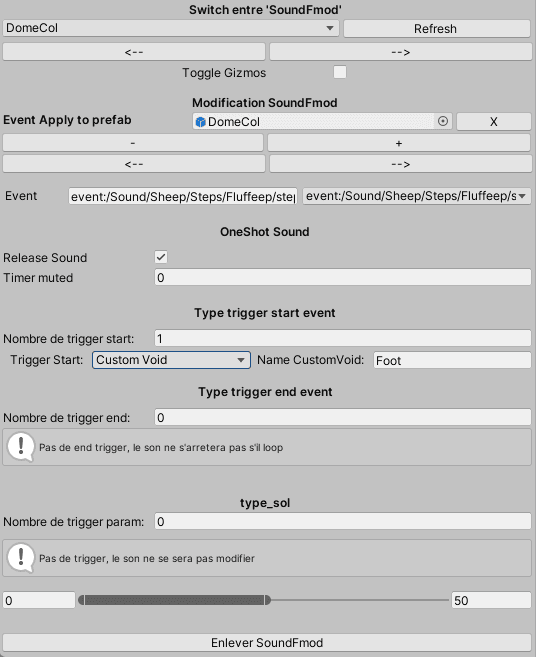
Finally, for the sound designer, I created a tool that allows them to apply scripts directly to objects in the scene. This tool provides the ability to configure sound trigger conditions, including dynamic parameters that can change during gameplay. This allowed the sound designer to work autonomously and integrate sound effects quickly and efficiently.
Node Editor
Spawn Prefab
Sound Design Tool
Text Parsing and Data Management
Throughout the production of MoonWool, I extensively used systems for exporting, parsing, and manipulating text to manage various features, such as saving, dialogues, and localization.
Secure Save System
At the beginning of the project, I considered using Unity's PlayerPrefs to handle saves, but I quickly identified their limitations, particularly their vulnerability to external modifications. To ensure better security, I opted for a save system based on creating encrypted text files.
This system stores simple data, such as the number of sheep rescued, associated with a unique identifier. When the game loads, a script parses the text file and populates a ScriptableObject in real time. This ScriptableObject is then used to check progression conditions, such as completing a level or achieving a 100% score.
Dialogue Management via Google Sheets
To simplify the creation and updating of dialogues, I implemented a system based on Google Sheets. All dialogue-related information (text, conditions, responses, etc.) is stored in a spreadsheet. This file is then exported and parsed by the game to dynamically load the appropriate dialogues based on the situation.
This system offers great flexibility, allowing writers to modify dialogues without needing to intervene in the game's code. Additionally, it ensures consistency across different versions of the game and simplifies update management.
Localization System
On top of the dialogue system, I added a comprehensive localization system. Dialogue texts, as well as all other textual elements in the game (menus, tutorials, etc.), are stored in text files exported from Google Sheets. Each text is associated with a unique ID, and a script on the UI elements automatically loads the correct translation based on the selected language.
This system is not only used for dialogues but also for all in-game texts. For example, a simple script attached to a UI text component can retrieve the translation corresponding to its ID, ensuring smooth and centralized localization.
First Constellation
Media 1 of 4: First Constellation